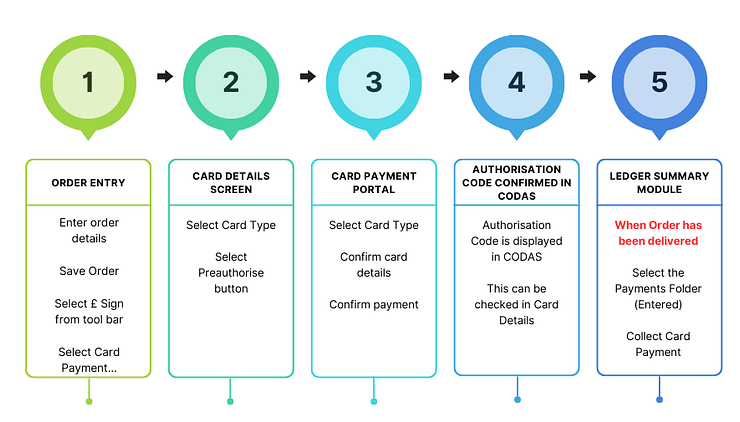
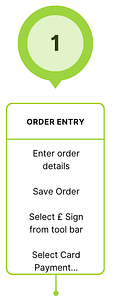
Card Payments: Preauthorise Presented by Jessy King, duration 2mins 30secs.Card Payments may be processed in one of two ways:Preauthorise‘ to hold payment until the delivery has been confirmed, covered in this tutorial.‘Collect’ to process payment immediately covered in a separate tutorial.In this tutorial we will take you through how to preauthorise a card through to collecting a card payment after the delivery has been completed. Stages in pre authorising a card payment Stage 1 Order Entry – Select Card PaymentThe video assumes you have entered and saved your order details the steps are covered below for completeness.From Order Entry Screen,Enter order detailsSave order detailsSelect the £ icon from the toolbarSelect Card Payment… Stage 2 – Card Details Payments Screen 1. Select Card Type e.g. Visa debit card 2. Select Preauthorise button This will take you to the card payment portal. Card details screen Stage 3 – Card Payment PortalSelect Card Type e.g. Visa debit cardConfirm card detailsCard Name Card NumberExpiry dateCVCSelect Confirm card details buttonThe transaction details will be shown on the screen Select the Pay buttonThis will authorise the payment A Payment Successfully Processed message will appear.Close the screen (red cross at top righthand side of the screen). Stage 4 – Authorisation code confirmed in CODAS A screen appears in CODAS showing the authorisation code which can be quoted to the customer(see example below)Select OK to close Stage 5 – Ledger Summary Module: Collect PaymentAfter the fuel has been delivered, the payment can be collected.Select the Payments FolderSelect the Entered subfolderSelect the transactions that you wish to collect payments.Select the Collect button.